This factsheet was developed following the article “MB Green Button”, published in UPDATE magazine (February 2026), to provide further detail on this feature.
What is MB WAY?
MB WAY is primarily a mobile payment solution, allowing users to perform banking and payment operations through their smartphone without a physical card. Certain additional features can be accessed via bank home banking services on a computer.
The official app that allows you to send and receive money, and even withdraw cash without a card, is the MB WAY app — it works with your mobile phone number and your linked bank cards.
You can simply download the MB WAY app from the stores (Google Play or Apple App Store) and activate the service using your mobile number and one of your Portuguese bank cards.
Other banking apps (from your bank) may also integrate MB WAY, but the official MB WAY app is recommended when you want to send, receive, or withdraw money without a card.
How to install the MB WAY app
Android: Google Play Store – MB WAY
iPhone: App Store – MB WAY
Install the official MB WAY (SIBS) app.
Activating MB WAY
Open the app and select “Activate MB WAY”.
Choose your bank and the bank card you want to link (must be a Portuguese card).
Confirm your identity using your mobile phone and, if required, the code from your bank.
Set a 4-digit PIN for the app.
Once activated, the app allows you to send, receive, and withdraw money without using the physical card.
Main Features
MB WAY (SIBS) = Digital wallet
With the MB WAY app, users can:
- Make instant money transfers between mobile numbers linked to MB WAY
- Generate MB Net virtual cards for online purchases
- Pay in physical stores using QR Code or contactless
- Access Multibanco services without using a bank card
- Users can shop online and in-store, generate virtual cards, send, request or withdraw money via the MB WAY app or through their bank’s digital channels.
Note: To use MB WAY, mobile data must be enabled or an active Wi-Fi connection is required.
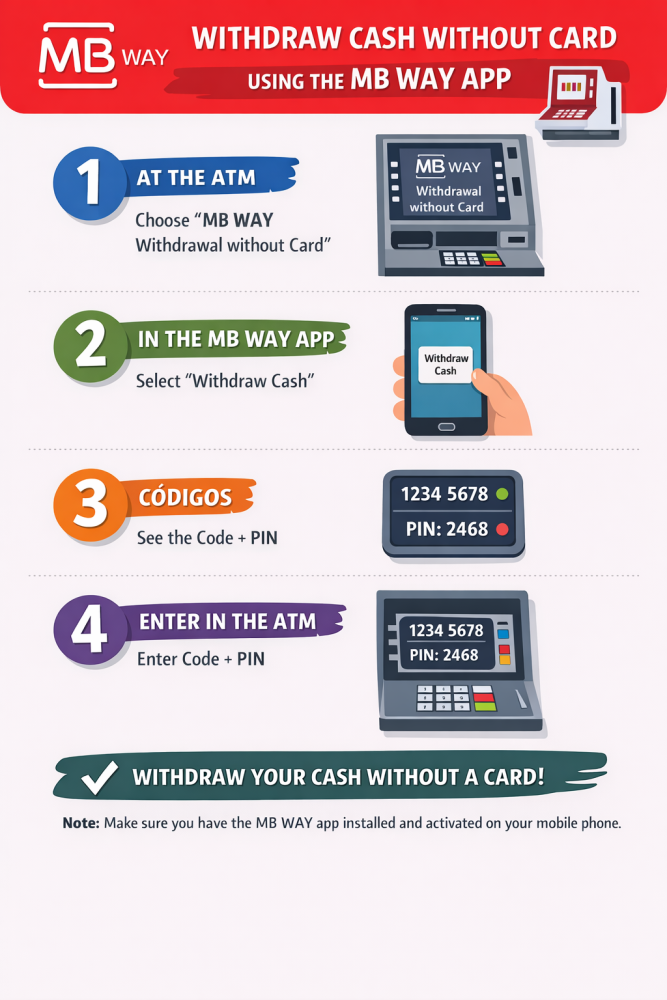
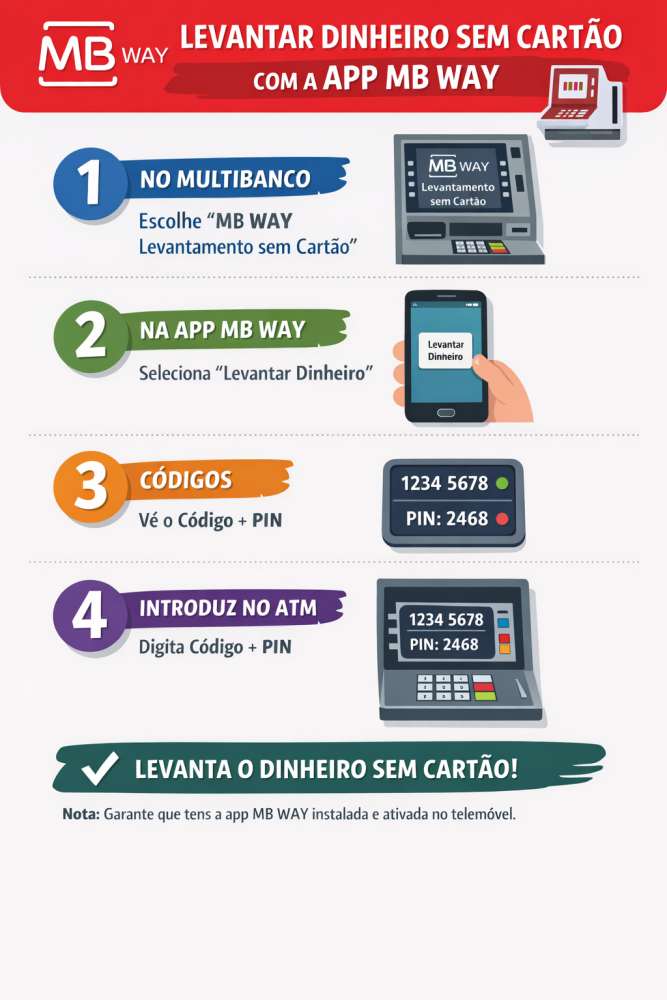
Cardless Cash Withdrawal: Step by Step
- Gerar Código / Generate the Code (in the MB WAY app)
- Open the MB WAY app
- Select “Utilizar Multibanco / Use Multibanco”
- Choose “Levantar Dinheiro / Withdraw Money”, enter the amount and, if applicable, the beneficiary’s mobile number
- Confirm using your PIN or biometric authentication
- The app generates: a 10-digit withdrawal code, a 4-digit PIN - both are valid for 30 minutes.
- Levantamento no Multibanco / Withdraw at the Multibanco ATM
- At the ATM, press the green key (do not insert a card)
- Select “Withdraw Money” or an equivalent option
- Enter the 10-digit code and the 4-digit PIN
The cash is dispensed immediately.
Key Benefits & Emergency Use
This functionality is especially useful in urgent situations — for example, when someone is away from home without their wallet or card, or when a trusted person needs to withdraw money on your behalf.
A simple action that can prevent disruption and quickly solve unexpected situations.
Disclaimer
afpop considers in good faith that all the information provided is true and accurate after having endeavoured to so confirm to the best of its ability. However, afpop is not qualified to render any technical advice, recommendation or information, nor is it under any legal duty to do so. Therefore, afpop declines any responsibility for possible damages arising directly or indirectly to members or non-members from alleged incorrect or misleading advice, recommendation or information and strongly advises all members to seek always the services of qualified practitioners and/or professionals for any technical matters, such practitioners and/or professionals being exclusively responsible for possible damages arising from their activity, including their technical opinions that may be inserted in our publications.